
FFT – Spectral Audio Editor

A complete studio for the sound inside your recordings.
A cough in a concert. A vocal buried in a mix. A line of dialogue that needs a second take. FluffyAudio FFT brings precise spectral editing, audio restoration and creative AI into one standalone editor for macOS and Windows.
See the details in a full-colour spectrogram, select the sound you want to change, and audition the result. Clean up recordings, separate stems, build vocal harmonies, reshape a song or edit its notes and words, all in the same workspace.
Your audio stays on your computer. Editing, restoration and AI processing run locally. Optional models download to your machine, ready to use offline. Preview, A/B comparison and undo help you make each decision with your ears.
Listen to the real before & after demos ↓ Introducing FluffyAudio FFTFluffyAudio
Watch on YouTube
Introducing FluffyAudio FFTFluffyAudio
Watch on YouTube
Hear the difference. See the change.
Press Play, then switch versions as the recording plays. Headphones recommended.
Tap the cursor to play or pause. Drag it, or tap the picture, to seek. Space plays or pauses while the stage has focus.
These are only 8 of the 52 modules inside FFT.
See all 52 modulesQuiet the room. Keep the piano.
Real air-conditioner noise, cleaned with FFT’s EQ and Spectral De-noise.


EQ high-pass 75 HzSpectral De-noise, 2 passesAir-conditioner hum by TimBahrij (Freesound, CC0) over “Backyard Whispers” from FluffyAudio’s My Piano.
Press Play to listen.
Remove the interruption.
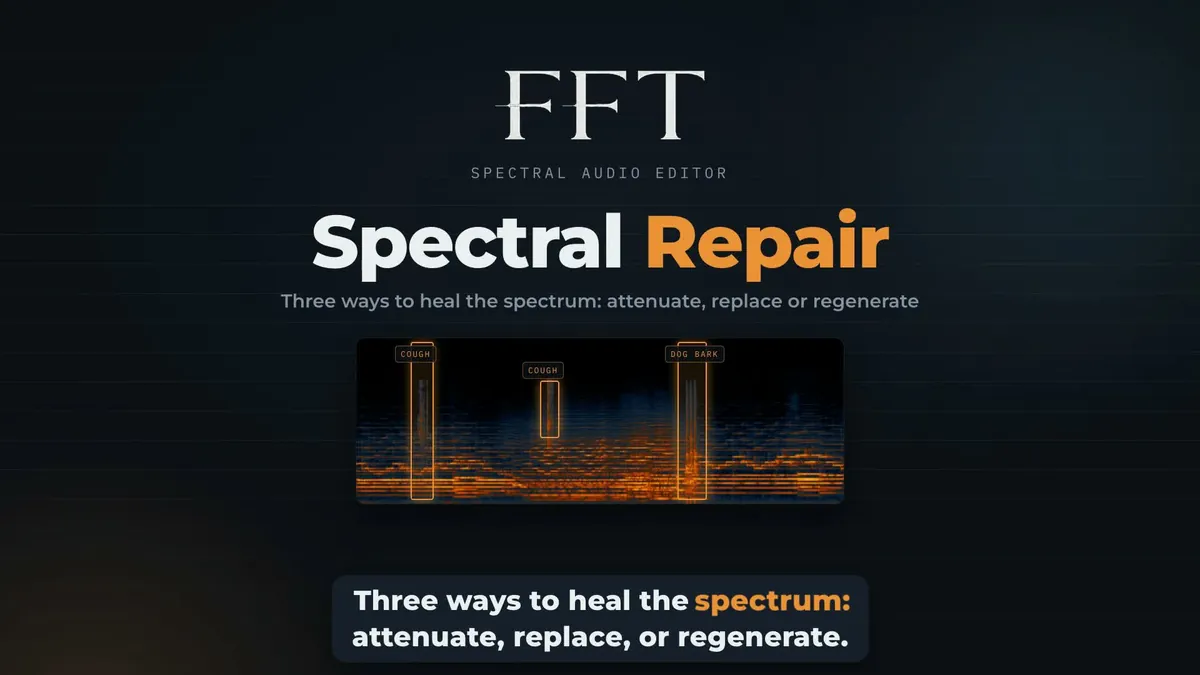
Two coughs and a dog bark, repaired inside an orchestral recording.


2 coughs, 1 dog barkGenerative repairGrieg, “Morning Mood”, Czech National Symphony Orchestra (Musopen, public domain). The noises (Freesound, CC0) were painted in for the demo.
Press Play to listen.
Bring back the missing highs.
Restore the missing highs in a band-limited recording.


Edge detected at 5.0 kHzRebuilt to 24.0 kHzFFT’s Neural Music engine rebuilding the top of a band-limited recording.
Press Play to listen.
Take the room out of the voice.
A reading with a room on it, cleaned with FFT’s Reverb Remover in Neural mode, with its De-Reverb and Presence model.


Reverb Remover, NeuralDe-Reverb and PresencePauses as quiet as the dry reading“Moby Dick”, a LibriVox reading (public domain), placed in a room built from a youth club hall impulse response by modusmogulus (Freesound, CC0), heard up close.
Press Play to listen.
Rescue a voice from the street.
Speech recorded beside traffic in a small room, rebuilt with FFT’s Voice Enhancer at its default settings.


Rebuild voiceBest qualityNoise in the pauses 20 dB lowerSpeech from the CSTR VCTK Corpus (speaker p232), CC BY 4.0. Traffic and room added for the demo (Freesound, CC0).
Press Play to listen.
Find the voice in the mix.
Hear the full mix, isolated voice or backing track.
On-device stem separation“Motionless Land” by Josh Woodward, CC BY 4.0.
Press Play to listen.
A new sentence. The same voice.
Hear “kept safe” become “stays private” in the same voice.
TranscribeRebuild in the same voiceA Freesound CC0 voice recording, transcribed and rebuilt by FFT’s on-device engines.
Press Play to listen.
One lead. A whole new harmony.
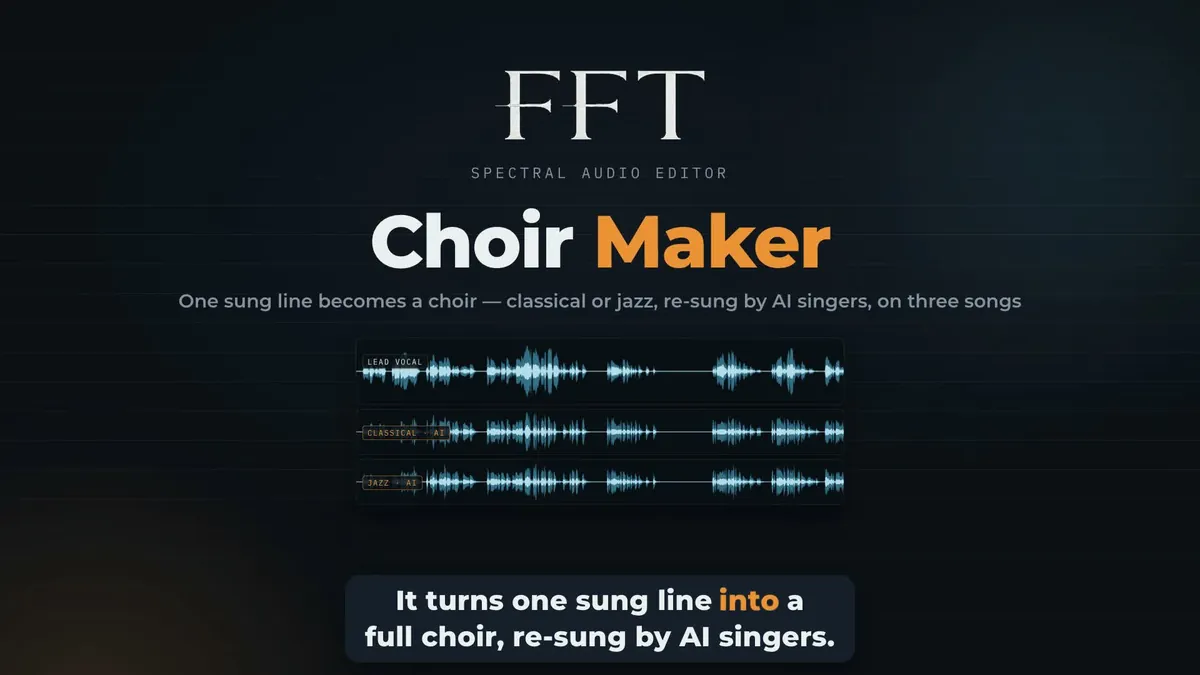
Compare harmonies in the mix, or hear the choir on its own.
F♯ majorClassical: alto, tenorJazz: voices 2 and 3“An American” by Finn Anderson, CC BY 4.0. The lead was isolated on-device and the harmonies re-sung by AI reference singers.
D majorClassical: alto, tenorJazz: voices 2 and 3“Every Time” by Katy Kirby, CC BY 4.0. The lead was isolated on-device and the harmonies re-sung by AI reference singers.
E majorClassical: alto, tenorJazz: voices 2 and 3“Stranger” by Sam Pablo, CC BY 4.0. The lead was isolated on-device and the harmonies re-sung by AI reference singers.
Press Play to listen.
From a small repair to a completely new direction.
Start with the tools you need today. Explore the rest when a recording asks for something more.
See the details in a full-colour spectrogram.
Waveform, Spectrogram, Split, Notes and Text views. Select the sound you want to change, and audition the result.
Box, band and lasso spectral selections.
Draw around a problem, like a cough in a concert, then attenuate it, replace it from the surrounding sound or rebuild the passage.
Repair, Utility, Process and AI.
Every module sits in one panel, from Spectral Repair and De-noise to EQ, Phase and Stereo Width. Search it by name or browse it by family.
Edit audio through notes and words.
Use Notes mode to work on pitch, timing and expression, including polyphonic piano material. Use Text mode to navigate a transcript and rebuild a sentence in the source speaker’s voice.
Repair only what needs repair.
Draw a box, frequency band or freehand lasso around a problem. Attenuate an interruption, replace damaged detail from the surrounding sound, or use generative repair to rebuild a passage. De-noise, de-hum, de-click and the other restoration tools cover the everyday cleanup work.
Separate, rebalance and harmonize.
Pull vocals and instruments out of a finished mix. Rebalance drums, bass, vocals and accompaniment, isolate a described sound, or create new harmony parts with Choir Maker. Choose your result by listening, then bring it back into the recording.
Edit audio through notes and words.
Use Notes mode to work on pitch, timing and expression, including polyphonic piano material. Use Text mode to navigate a transcript and rebuild a sentence in the source speaker’s voice. Lyrics & Chords adds a musical view of the song.
Make the music fit the moment.
Music Tailor proposes ways to shorten or extend a track. Loop Creator finds bar-length loops or generates a new loop from the surrounding material. Generate can create, inpaint or extend audio with locally installed models.
Polish a single file, or a whole folder.
Shape tone with EQ, control dynamics and loudness, compare against a reference with Match, and host your effects plug-ins. Save a Module Chain, apply supported processors in order, then run it over a folder with Batch.
Keep the work on your computer.
FFT processes audio locally on both platforms. Install optional AI engines through the model manager, then work offline. Large-file streaming and persistent edit history help keep long sessions manageable. AI speed depends on the selected engine and your hardware.
50+ modules. One connected workspace.
Repair
Spectral Repair · Interpolate · Spectral De-noise · Reverb Remover · Hum Remover · Click Remover · Crackle Remover · Clip Repair · Breath Remover · Plosive Remover · Sibilance Remover · Custom Remover · MP3 Restore
Utility
EQ Filters · Replay EQ · Signal Generator · Phase · Azimuth · Center Extract · Resample · Stereo Width · Channels
Process
Distance · Reverb · Dynamics · Sound Enhance · Fade · Gain · DC Offset · Loudness Control · Trim Silence · Harmonic Clarity · Time & Pitch · Music Tailor · Loop Creator · Dither · Plugin Host · Match
AI
Stem Remix · Voice Isolate · Dialogue Rebalance · AI Speech De-noise · Spectral Recovery · Voice Chain · Voice Enhancer · Transcribe · Voice Rebuild · Prompt Isolate · Generate · Text to Speech · Choir Maker · Revoice
Watch FFT in action.
Follow the edit from the first listen to the final result. These walkthroughs include audio examples and optional English captions.
Editing & workflow
- Waveform, Spectrogram, Split, Notes and Text views
- Box, band and lasso spectral selections
- Preview, A/B comparison and undoable edits
- Markers, regions and persistent edit history
- Module Chain and Batch processing
- Notes editing, MIDI export and transcript tools
- Interactive Showcase with playable examples
Formats & production
- Import common audio formats, including WAV, AIFF, CAF, MP3, AAC and FLAC
- Export lossless and compressed formats, including WAV, FLAC, ALAC, AAC, MP3 and Opus
- Mono, stereo and multichannel audio
- Peak, true-peak, RMS and LUFS statistics
- Loudness targets, resampling and dither
- Audio Unit plug-ins on macOS; VST3 plug-ins on Windows
- Standalone audio editor, no Kontakt required
Ready for your studio.
Mac: Apple Silicon (M1 or later), running macOS 14 Sonoma or later. Intel Macs are not supported.
Windows: Windows 10 (version 1903 or later) or Windows 11, 64-bit x64. AI acceleration and processing speed depend on the engine and the available GPU; CPU processing is used where supported.
Storage & connectivity: Allow space for the application, your recordings, working files and optional AI models. Larger models can require several gigabytes each. An internet connection is needed for licence activation, software updates and model downloads. Audio processing itself runs on your computer.
Licence: One-time purchase. Activate it on up to four computers, Mac or Windows. Use the licence controls in FFT to manage your activated computers.
Current public release: 0.3.1 · macOS & Windows
Release information checked 20 October 2026. FFT keeps itself up to date from inside the app.
Reviews.
 Watch on YouTube
FREE€99.00€199.00
Secure checkout · Digital delivery · FluffyAudio support